
Download Express Zip Free Compression Software – Free, Secure, Fast ZIP & Unzip Tool for Windows, Mac, Android & iOS
Express Zip Free Compression Software is a powerful yet lightweight file archiving tool developed by NCH Software. Designed for both home and professional use, this free software allows users to compress, decompress, encrypt, and manage files with ease. Whether you're zipping large folders for email, securing sensitive documents with passwords, or splitting massive files for CD/DVD burning, Express Zip delivers fast performance and high compatibility.
With support for over 30 archive formats including ZIP, RAR, 7Z, TAR, CAB, and more, it's one of the most versatile compression tools available. The intuitive drag-and-drop interface makes it ideal for beginners, while advanced features like file splitting, PAR2 recovery, and format conversion appeal to intermediate users. Best of all, it's completely free to download and use—perfect for personal projects, students, and small teams.
The software also integrates seamlessly with other NCH Software apps, offering a unified experience across your digital workflow. For commercial use, the Plus Edition unlocks additional features, but the free version remains robust and feature-rich.
Comprehensive Features That Make Express Zip a Must-Have Tool
Express Zip Free Compression Software stands out in a crowded market due to its rich feature set, all available at no cost. One of its most praised capabilities is its support for over 30 archive formats, allowing you to not only create ZIP files but also work with RAR, 7Z, TAR, CAB, and even less common types like ISO and GZ. This means you’ll never need to switch between multiple tools just to open or extract a file.
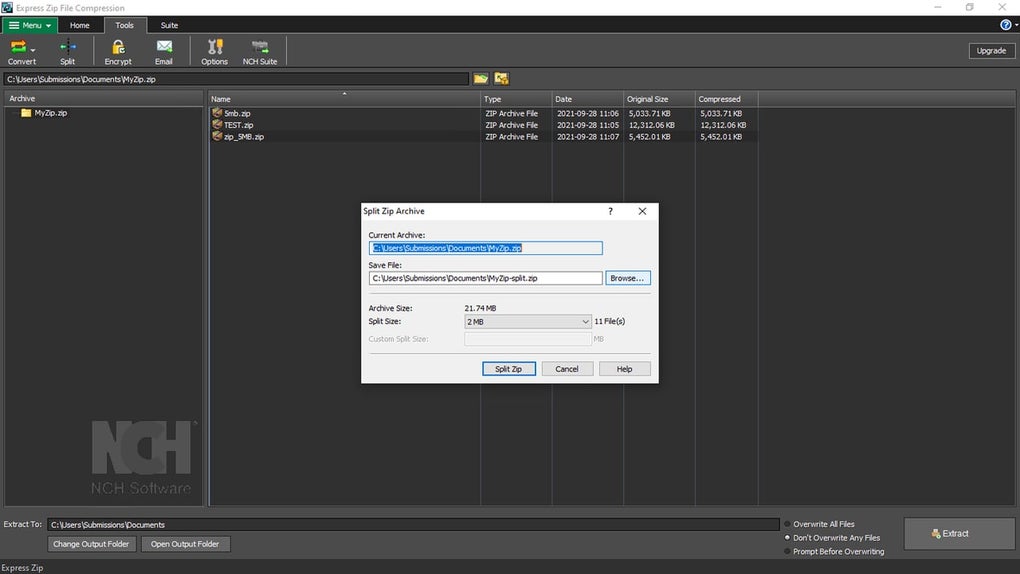
The software also enables seamless format conversion—simply drag a file into Express Zip, choose your desired output format, and the conversion happens instantly. For users managing large projects, the multi-part split feature is a game-changer. It allows you to divide huge files into smaller, manageable chunks, perfect for burning to CDs, DVDs, or uploading to cloud services with size limits.
Security is another major strength. Express Zip lets you encrypt your archives with strong password protection, ensuring your personal or confidential files remain private. This is especially useful when sending sensitive documents via email or storing data on shared drives.
The software also supports the creation of PAR2 recovery files, which can repair corrupted archives—ideal for long-term data storage or backup scenarios. On the management front, the built-in file explorer-style interface makes it easy to browse, add, extract, and organize files within archives. You can even burn compressed archives directly to optical media with just a few clicks.
While the interface is clean and modern, it’s worth noting that some buttons across the Home, Tools, and Suite tabs are duplicated, which can feel redundant. However, this doesn’t hinder usability and may even help users find tools faster based on their workflow.
- Supports over 30 archive formats: ZIP, RAR, 7Z, TAR, CAB, ISO, GZ, and more
- Drag-and-drop file compression and extraction
- Strong password encryption and file security
- Multi-part file splitting for CDs, DVDs, or cloud uploads
- PAR2 recovery file creation for data integrity
- Direct burning to CD/DVD from compressed archives
- Format conversion within the same application
- Integration with other NCH Software tools
Easy Installation & Intuitive Usage for All Skill Levels
Getting started with Express Zip Free Compression Software is a breeze. After downloading the installer from the official NCH Software website, the setup process is straightforward—just follow the on-screen prompts. The installation is quick, typically taking under a minute, and doesn’t clutter your system with unnecessary components. Once installed, launching the app opens a simple welcome screen where you can choose to either open an existing archive or create a new one. You can opt to skip this prompt in the future by checking the “Don’t show this window again” box, making the experience even smoother for regular users.
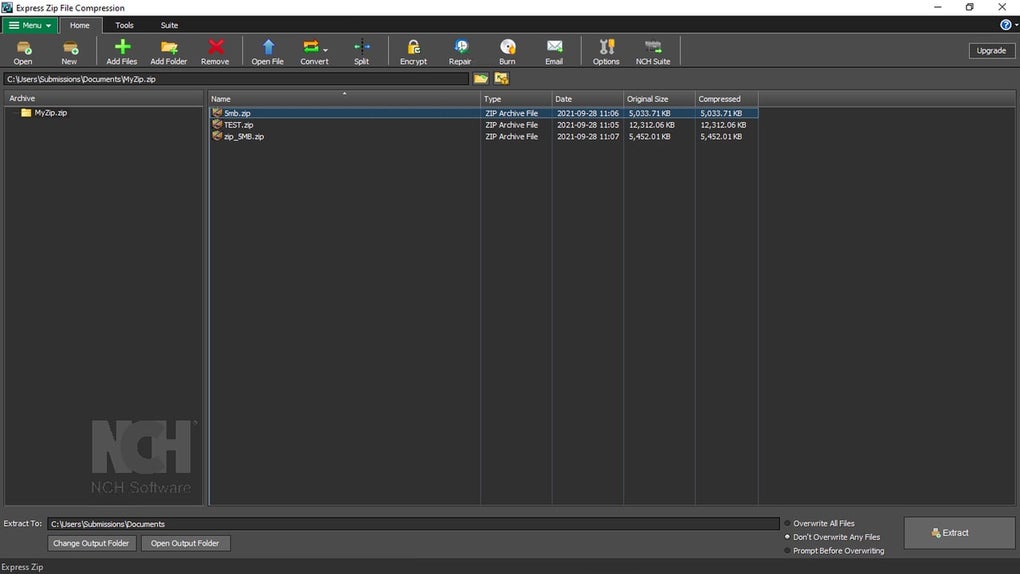
The interface is clean and logically organized. At the top, you’ll find four main tabs: Menu, Home, Tools, and Suite. The Home tab houses the core functions—create, open, add files, extract, and encrypt.
The Tools tab contains advanced options like file splitting and recovery file generation. The Suite tab is a convenient shortcut to other NCH Software products like Pixillion Image Converter, WavePad Audio Editor, and more, allowing you to download and launch them directly from the same interface. Below the tabs, the workspace is split into two panels: the left side displays the archive list, and the right side shows the contents of the selected archive.
This dual-panel layout mirrors the familiar file explorer experience, making navigation intuitive.
To compress a file or folder, simply drag it into the main window or use the “Add Files” button. You can then set options like password protection, compression level, and output format. For extraction, select the archive and click “Extract,” then choose your destination folder.
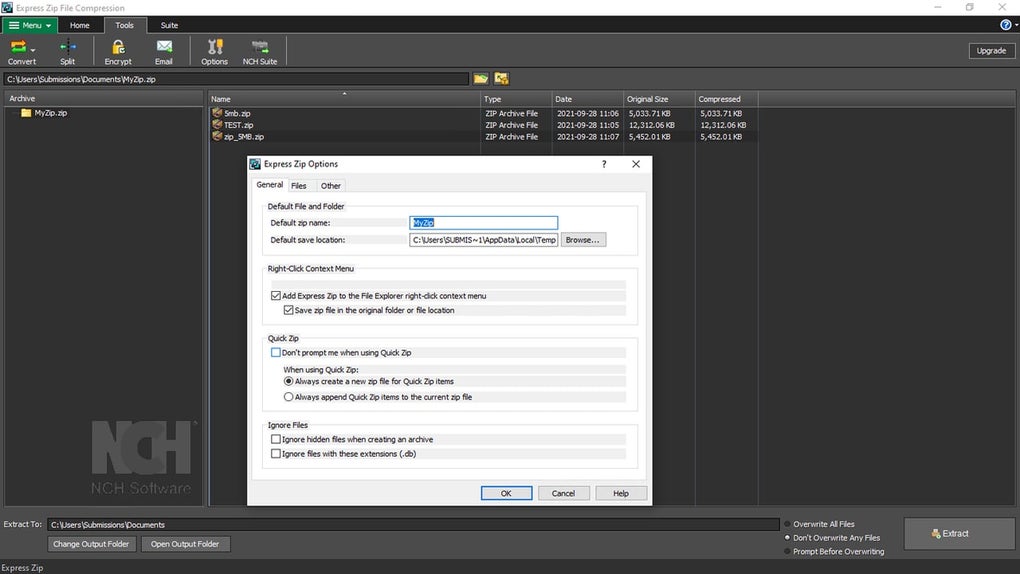
The bottom bar provides real-time feedback on progress and allows you to customize output settings. While the lack of an in-app tutorial might be a drawback for absolute beginners, the interface is so self-explanatory that most users can figure it out within minutes. For those who need help, the official website hosts detailed guides, FAQs, and an active community forum.
Compatibility & System Requirements for Seamless Performance
Express Zip Free Compression Software is designed to work across multiple platforms, making it a versatile choice for users on different devices. It’s fully compatible with Windows 10, Windows 11, Windows 8, and Windows 7 (both 32-bit and 64-bit versions). For Mac users, the software supports macOS 10.13 (High Sierra) and later, including the latest Apple Silicon (M1/M2) Macs. This cross-platform availability ensures that whether you're using a PC at work or a MacBook at home, you can maintain consistent file compression workflows.
Additionally, Express Zip offers mobile support through companion apps and cloud integration. While the full desktop version isn’t available on Android or iOS, users can access compressed files via cloud services like Google Drive, Dropbox, or OneDrive, where they can be extracted using third-party apps. The software also integrates well with cloud storage platforms, allowing you to compress files before uploading or extract them directly from the cloud. This is especially useful for remote teams or individuals who need to manage files on the go.
System requirements are modest, ensuring smooth performance even on older machines. For Windows, you’ll need at least 512 MB RAM, 20 MB free disk space, and a screen resolution of 1024x768 or higher. On macOS, the minimum requirements are 1 GB RAM and 20 MB of free space. The software runs efficiently without consuming excessive CPU or memory, making it ideal for multitasking. It’s also lightweight in terms of installation size—typically under 10 MB—so it won’t slow down your system.
- Operating System: Windows 7/8/10/11, macOS 10.13+, Android (via cloud), iOS (via cloud)
- RAM: 512 MB (Windows), 1 GB (macOS)
- Storage: 20 MB free space
- Screen Resolution: 1024x768 or higher
- Internet Connection: Required for updates and NCH app downloads
Pros, Cons & Frequently Asked Questions (FAQ)
Pros of Express Zip Free Compression Software
- Completely free to download and use for personal projects
- Supports over 30 archive formats with no need for third-party plugins
- Fast compression and extraction speeds with low system resource usage
- Strong encryption and password protection for secure file sharing
- Advanced features like file splitting and PAR2 recovery for data integrity
- Intuitive drag-and-drop interface suitable for beginners
- Seamless integration with other NCH Software products
Cons of Express Zip Free Compression Software
- Lacks an in-app tutorial or guided walkthrough for new users
- Some interface buttons are duplicated across tabs, causing minor redundancy
- Full feature set for commercial use requires the paid Plus Edition
- No native mobile app for Android or iOS (only cloud access)
Frequently Asked Questions (FAQ)
- Is Express Zip free to download and use?
Yes, Express Zip is completely free for personal and home use. You can download, install, and use all core features without cost. For commercial use, the Plus Edition offers additional tools and support.
- Can I compress files larger than 4 GB?
Yes, Express Zip supports multi-part splitting, allowing you to break large files into smaller parts (e.g., 100 MB chunks) for easier sharing or burning to CDs/DVDs.
- Does Express Zip support RAR and 7Z files?
Absolutely. The software supports both RAR and 7Z formats for both creating and extracting archives, making it a versatile choice for users working with various file types.
- How do I password-protect a ZIP file in Express Zip?
After selecting files to compress, go to the Encryption option in the taskbar, enter a password, and confirm it. The resulting archive will be password-protected and can only be opened with the correct credentials.
- Can I convert a RAR file to ZIP using Express Zip?
Yes, simply open the RAR file in Express Zip, select the files, and choose “Convert” to ZIP format. The software handles the conversion seamlessly in one step.
Conclusion: Why You Should Download Express Zip Today
Express Zip Free Compression Software is a reliable, secure, and efficient tool that delivers excellent value for free. With its support for over 30 archive formats, fast compression speeds, and strong encryption features, it’s ideal for anyone who frequently shares, stores, or organizes files. Whether you're a student managing project folders, a freelancer sending large files to clients, or a home user backing up photos, Express Zip simplifies the entire process. The intuitive interface, cross-platform compatibility, and integration with other NCH tools make it a standout choice in the world of file compression.
While the absence of an in-app tutorial and some interface redundancy are minor drawbacks, they don’t significantly impact usability. The active community forum and comprehensive online support more than make up for this. For those seeking a free, powerful, and user-friendly compression tool, Express Zip is a top contender.
Download Express Zip today and take control of your file management with confidence, speed, and security.







